

40 free image credits every month — sign up free, no card Get started

EZ Video 2 Reference

All history

Video workspace · How it works

Keep your character in every shot

Generate a 5 to 15 second clip with sound from images, videos and audio of your character, a place or a prop.

Example prompt Reference image 11Reference image 22

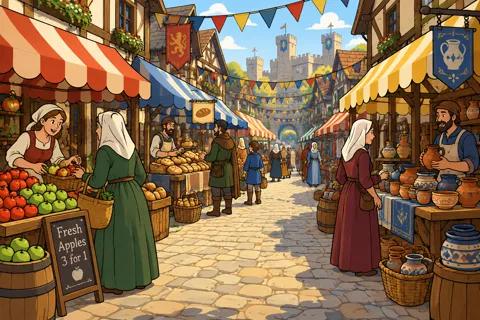
The fox knight from image 1 walks through the busy market from image 2, picks up a red apple from a stall and waves at the camera.

01

Add your references

Add images, videos or audio and name them in the prompt as [Image1], [Video1], [Audio1]. Use Frames to set a start or end frame.

Length5 s
Resolution768p
Aspect16:9
Output settings
02

Shape the shot

Set the clip length, frame shape and resolution. Every clip comes with generated sound.

Ready to reuse or extract a frame
03

Review the video

Play the finished clip, save it or take a frame into another tool.

Your results stay available in All history and All recent jobs.

Audio input