40 free credits every month — sign up free, no card Get started
Create a character
1. Style / Look
Your image

Your upload becomes eight character options, ready to compare side by side.

Style8
2. Prompt
Prompt
Auto No prompt needed — we read your image
3. Output
Background

Includes 8 images

Advanced
Creativity
Adds a clear style and broader variation
Creative treatment
All history

Image workspace · How it works

Build your starting character

Choose an image model, describe your idea and keep the strongest result for the next tool.

Example prompt

A curious forest guardian with carved wooden armour and a soft amber glow.

01

Start with a description

Describe the character you want, including defining features and visual style.

ModelEZ Create
StyleFlat Illustration
Images1 image
Output settings
02

Set up the generation

Choose the model, style and number of images available for your selection.
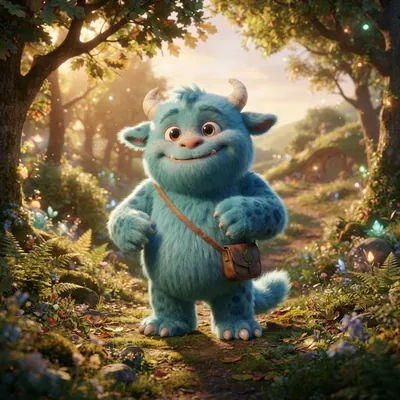
Example finished character Ready to reuse
03

Choose a starting image

Save a favourite or use it to make a turnaround, sheet or scene.

Your results stay available in All history and All recent jobs.

Audio input

AI Character Generator — FAQ

Is there an AI that can draw cartoons from words?

Yes — EZCharacter is an AI cartoon picture generator that draws cartoons from a plain-text description. Type your character, pick a style, and get original cartoon pictures in seconds. No drawing, no upload, no reference image.

Do I need to upload an image?

No. This is a text-to-image generator — describe the character in words and pick an art style, and it creates original variations from scratch. (Already have a character? The turnaround and pose tools take an uploaded image instead.)

How many variations do I get?

Two per generation. Pick your favourite, then refine the prompt or take it into the turnaround and multi-angle tools.

What art styles can I choose?

Use the Style control for a curated house look, or describe any style in your prompt. Flat cartoon, anime, manga, watercolor, Pixar-style 3D, chibi, matte 3D monster, claymation, plushie, pop vinyl, crochet and 3D geometric each have their own style page with examples.

Can my character have a background or scene?

Yes — just describe it ("a knight in a misty pine forest at dawn") and the scene renders with your character. Want a clean cut-out instead? Generate the scene you like, then run it through the free background remover to get a transparent PNG in one click.

Is it free? Do I need a card?

Yes, free to try, no credit card. You get free generations to start — sign in with email or Google — then upgrade or add credits to keep going. All outputs are royalty-free and watermark-free.
Activity
Recent Jobs

Your recent jobs show up here

Sign in to start — 40 free credits every month, no card.

Audio input